The Block Method, as an app
Do the work.
Count it in blocks.
Blocks is a calm personal task manager built on one idea: a block is ~25 minutes of focused work, done and logged. Not a plan — proof. Triage your backlog, pick today's frog, and stack the blocks.
A block ≠ a task
A task is a goal you complete. A block is ~25 min of focused effort you spend on it. You size tasks in blocks, then earn them.
Eat the frog
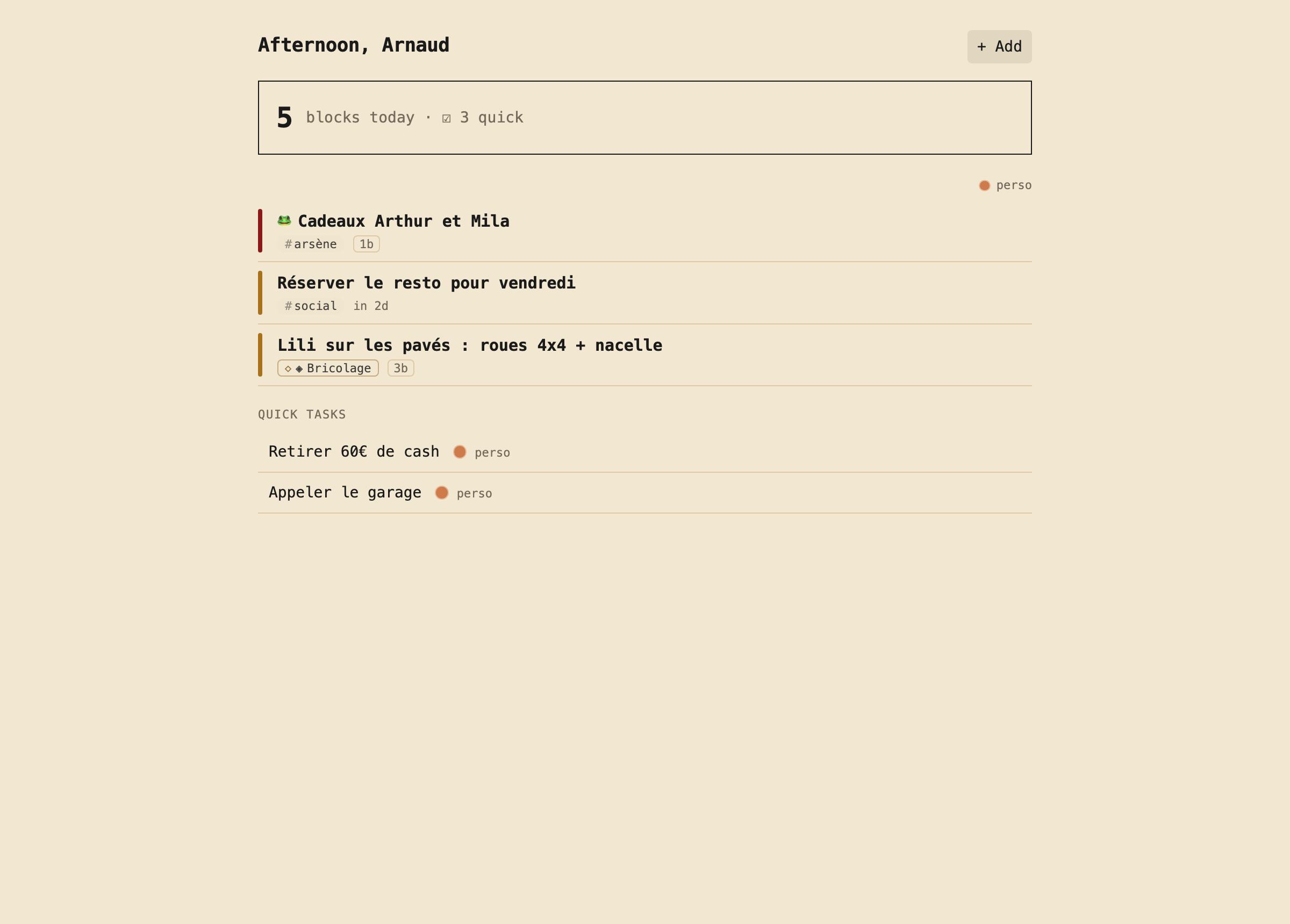
Each day has one frog — the most important thing. Blocks keeps it first and out of your way until it's done.
Effort is the currency
You don't chase a checklist, you accumulate proof of work. Logged blocks pile up into something you can look back on.
Today, distraction-free
- One frog at the top, then the day's tasks and quick wins.
- Swipe or key to complete; snooze anything to a smarter time.
- Blocks logged today, always in sight.
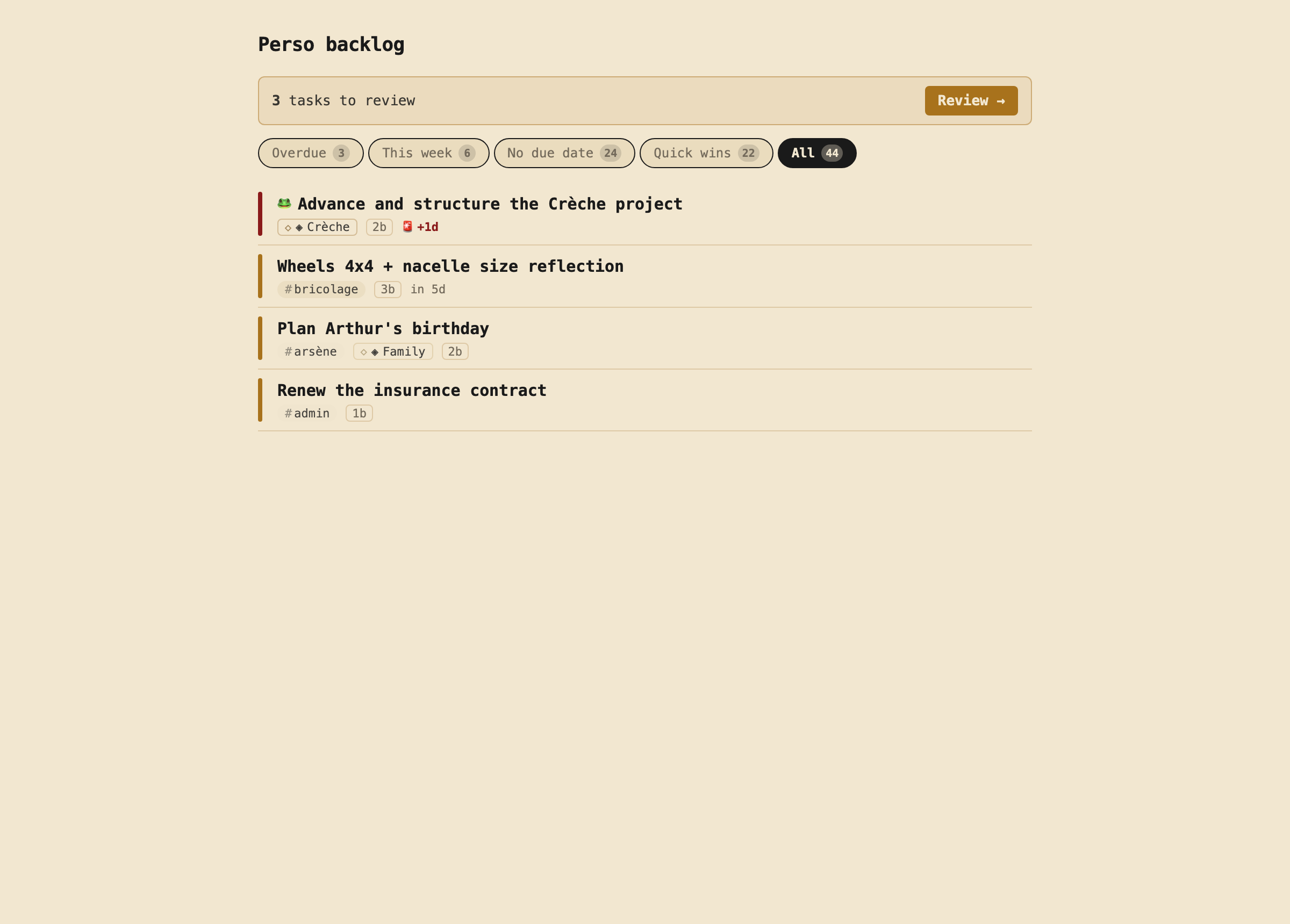
A backlog that never becomes a graveyard
- Predefined views: Overdue, This week, No due date, Quick wins.
- Tags and projects stay two distinct axes — never mixed.
- Backlog Review forces a decision on stale tasks: Do, Defer, or Abandon.
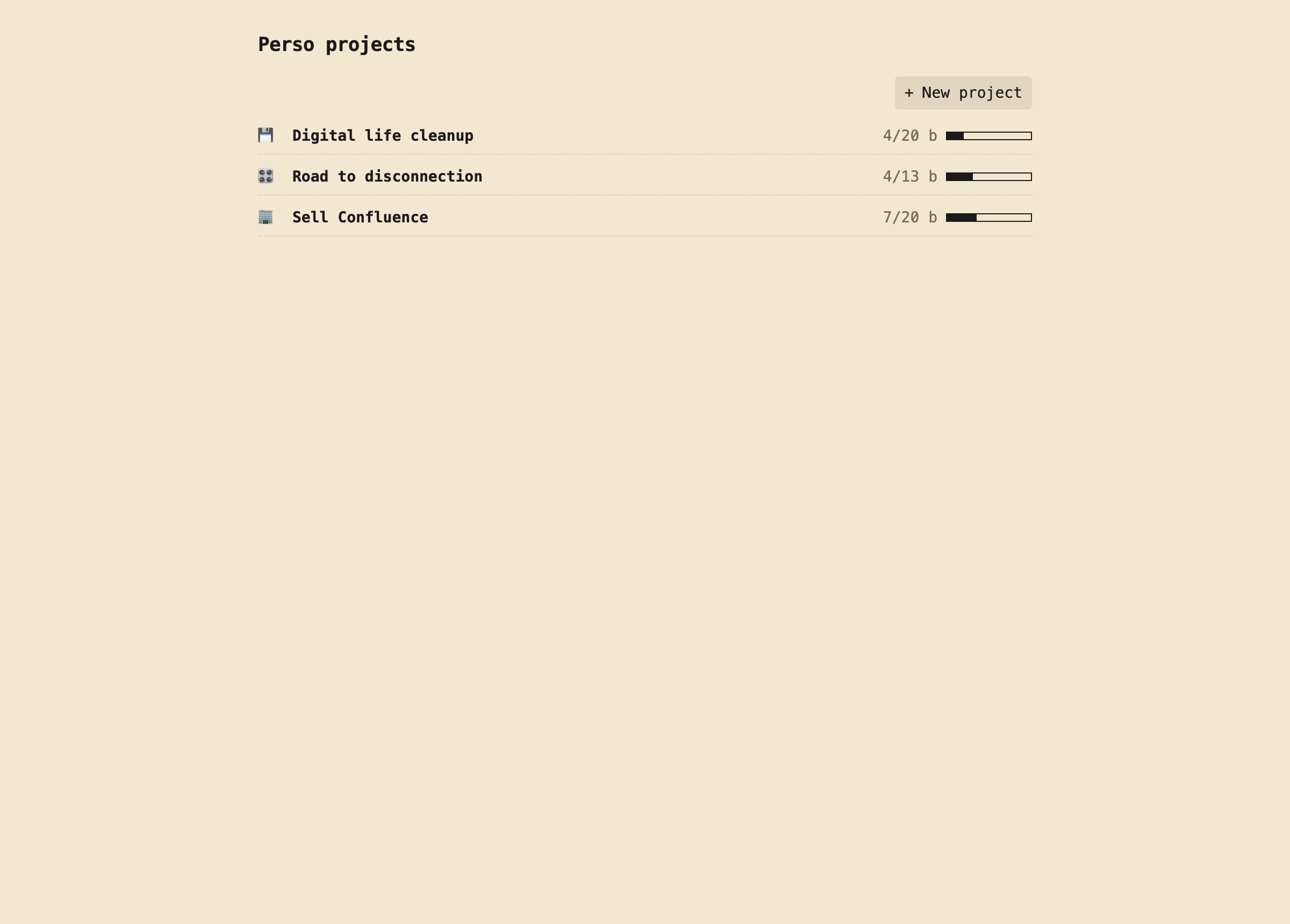
Projects and tags, without the confusion
- Projects are temporary, have a goal, and close — with block progress.
- Tags are durable categories, scoped per environment.
- Work and Personal stay cleanly separated, one tap apart.
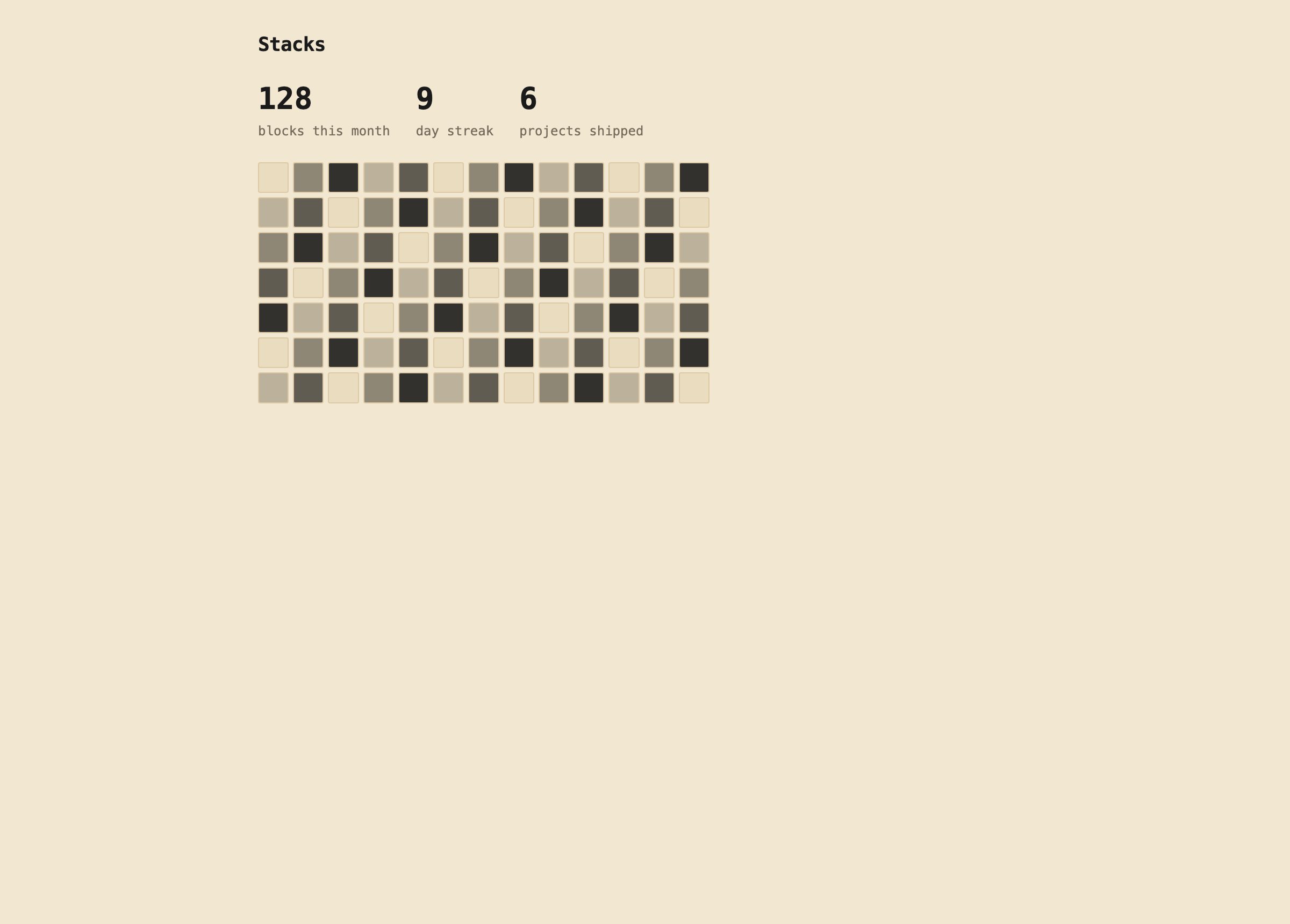
Proof of work, over time
- Every completed block is logged into your Stacks.
- Heatmaps, streaks and shipped projects — what you actually did.
- Recurring templates materialize on the right days, automatically.
Built for the keyboard
Everything is one keystroke away. Navigate, capture, complete, review — hands never leave the keyboard.
t Todayb Backlogp Projectsn New taske Edit⌘K Command palette? All shortcuts